

What Makes a Gaming PC Awesome? (A Beginner’s Discovery Guide)

Updated: 4 days ago
You have finally decided it’s time to move on from your aging console or stuttering family laptop. You want high frame rates, crisp visuals, fast load times, and a setup that turns heads.
However, diving into the world of PC gaming for the first time can feel like learning a foreign language. Acronyms like GPU, CPU, VRAM, DDR5, and NVMe fly around, while tech forums debate whether building a rig from scratch or buying a prebuilt is the right choice.
This beginner gaming pc guide breaks down what actually makes a gaming PC awesome, cuts through the jargon, and helps you navigate the first stage of your gaming rig journey: Broad Discovery.
When you purchase through links on our site, we may earn an affiliate commission. As an Amazon Associate, I earn from qualifying purchases.
1. The Anatomy of an "Awesome" Rig
At its core, a gaming PC is just a collection of specialized parts working together in real time. Unlike standard office computers that prioritize power efficiency and low cost, a gaming PC is designed to crunch massive amounts of visual and logical data simultaneously.
To know what to look for, you need to know the primary components that drive performance:
The Graphics Card (GPU): The Visual Muscle
What it does: Renders the graphics, lighting, shadows, and textures in your games.
Why it makes a PC awesome: The GPU dictates your resolution (1080p, 1440p, or 4K) and how smooth your games look. In a gaming system, around 35–40% of the hardware budget typically goes straight to the graphics card.
The Processor (CPU): The System Brain
What it does: Handles game physics, artificial intelligence for enemy NPCs, background tasks, and player inputs.
Why it makes a PC awesome: A fast CPU keeps your game running smoothly without micro-stutters or frame drops during chaotic moments.
System Memory (RAM): The Active Workspace
What it does: Temporarily stores data that your CPU needs instant access to while running a game.
Why it makes a PC awesome: Having enough memory prevents your system from choking when running modern games alongside background apps like Discord or Spotify. While 16GB used to be the gold standard, 32GB of DDR5 RAM is quickly becoming the new sweet spot.
Solid-State Drive (SSD): The Speed Loading Dock
What it does: Permanently stores your operating system, programs, and game library.
Why it makes a PC awesome: Modern NVMe M.2 SSDs reduce loading screens from minutes to seconds and eliminate texture pop-in during open-world gameplay.
2. Beginner Gaming PC Guide Defining Your Performance Goals
An "awesome" PC looks different for everyone depending on what games you play and what monitor you use. Before looking at specific computer listings, identify which category you fall into:
The Competitive Esports Gamer (1080p High-FPS): Plays games like Valorant, Counter-Strike, or Fortnite. The goal isn't photorealism—it’s ultra-high frame rates (144Hz–240Hz+) for fast reaction times.
The Balanced Gamer (1440p Sweet Spot): Wants sharp resolution and graphical detail in games like Cyberpunk 2077 or Helldivers 2, while still maintaining 80–120+ frames per second. This is the most popular target for PC gamers today.
The Visual Enthusiast (4K & Ray Tracing): Wants maximum immersion on a 4K TV or high-end monitor, featuring real-time light simulation (ray tracing) and ultra-high graphic presets.
3. Recommended Starter Components (Best Overall vs. Best Budget)
To give you an idea of what powers today’s gaming setups, here are the top-recommended components currently available on Amazon across both Best Overall and Best Budget tiers:
Processors (CPUs)

Best Overall: AMD Ryzen 7 7800X3D
Best For: Uncompromising FPS in modern gaming setups thanks to 3D V-Cache technology.
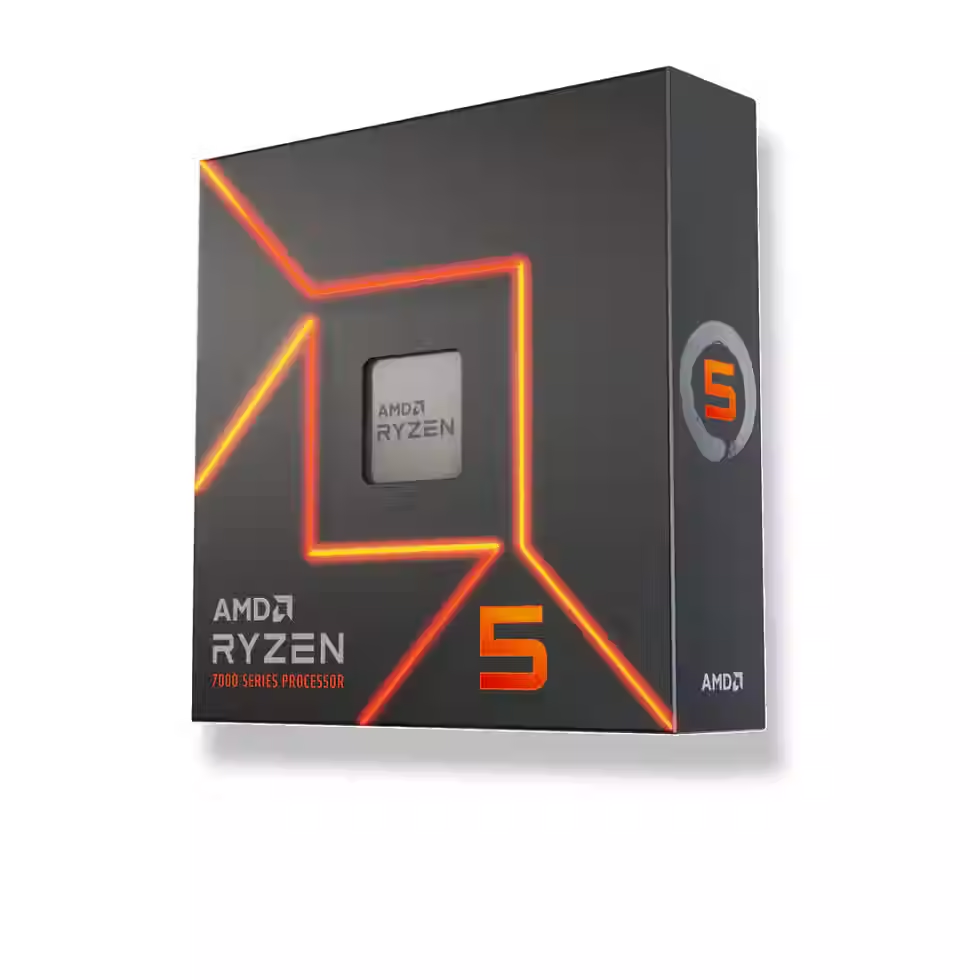
Best Budget: AMD Ryzen 5 7600X
Best For: Fantastic 1080p and 1440p performance on a budget.
Graphics Cards (GPUs)

Best Overall: Nvidia GeForce RTX 4070 Super
Best For: The sweet-spot card for 1440p high-refresh-rate gaming with DLSS and ray tracing features.

Best Budget: Nvidia GeForce RTX 4060
Best For: Smooth, reliable 1080p gaming performance without a massive power draw.
Memory (RAM)

Best Overall: G.SKILL Trident Z5 Neo DDR5 32GB (2x16GB)
Best For: High-speed, low-latency performance optimized for modern platforms.

Best Budget: Corsair Vengeance DDR5 32GB (2x16GB) 6000MHz
Best For: Clean, low-profile, reliable DDR5 performance without paying extra for RGB lighting.
Storage (NVMe SSDs)

Best Overall: Samsung 990 PRO 2TB NVMe M.2 SSD
Best For: Blistering PCIe 4.0 read/write speeds and unmatched reliability for heavy game libraries.

Best Budget: WD Black 1TB SN770 NVMe M.2 S
Best For: High-value Gen4 performance that vastly
outperforms Gen3 drives
4. Prebuilt PC vs. DIY Custom Build
Once you know what hardware you want, the next big decision in the discovery stage is choosing how you want to buy it:
Prebuilt PCs: Ready out of the box with a single-vendor system warranty. Ideal for beginners who want zero hassle and immediate gaming capability.
Custom DIY Builds: Offers maximum performance per dollar spent and total control over every component and aesthetic. Ideal for gamers who view PC building as an enjoyable hands-on hobby.
What’s Next in Your PC Journey?
Understanding component roles and setting your performance target clears away the noise of the broad discovery stage. You are no longer asking "What is a GPU?"—you are asking "Which GPU gives me the performance I want for my money?"
In Part 2: Comparative Evaluation, we will put the leading component manufacturers head-to-head—comparing AMD vs. Intel processors and Nvidia vs. AMD graphics cards—so you can pick the exact brand matchups for your ideal build.
Got a dream rig in your head, or running into a snag with your hardware? Stop by Geekmatics in Palm Harbor, give us a call at 727-230-3696, or text us at
727-686-7237. Our techs live and breathe custom builds and are always down to talk shop!

Comments